



Growing businesses often use different applications to manage customer relationships, online orders, inventory, and financial records. When these systems operate separately, employees may need to enter the same information multiple times, increasing the risk of errors and delays. ERP solutions help address this challenge by connecting essential business applications and creating a more coordinated way to manage operations.
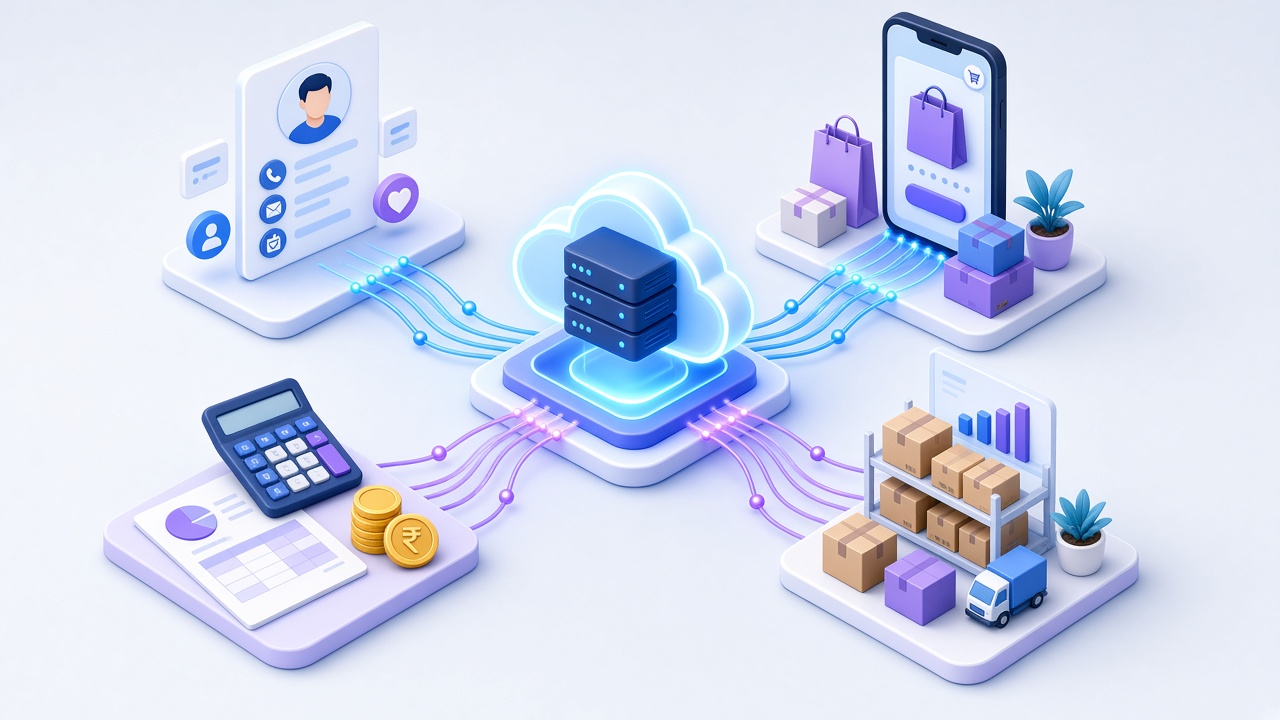
ERP integration allows information to move between enterprise resource planning software, customer relationship management platforms, e-commerce websites, and accounting systems. When implemented correctly, it helps businesses improve data accuracy, automate routine tasks, and make informed decisions.
What Are ERP Solutions and Why Does Integration Matter?
ERP, or Enterprise Resource Planning, is software that brings important business functions into a coordinated system. Depending on the platform, it can manage inventory, procurement, sales, finance, orders, production, and reporting.
ERP integration connects this system with other business applications, allowing relevant information to be shared automatically instead of being transferred manually.
For example, when a customer places an order online, the connected systems can update order details, inventory records, customer information, and financial transactions.
Businesses can benefit from ERP integration through:
- Reduced manual data entry and duplicate records
- More accurate inventory and financial information
- Faster order processing
- Improved coordination between departments
- Better access to business reports
- Greater visibility into daily operations
How ERP Integration Works With CRM Systems
CRM software helps businesses track leads, organize customer data, manage communications, and monitor sales progress efficiently. Connecting CRM with ERP allows customer-facing teams to access relevant operational information.
1. Centralized Customer Information
When CRM and ERP systems are integrated, approved customer information can be shared between them. Sales teams can access relevant details about orders, invoices, product availability, and customer accounts without switching between disconnected platforms.
2. Improved Sales and Order Management
When a sales opportunity becomes a confirmed order, the information can move into the ERP system for order processing, inventory checks, and billing. This reduces repeated data entry and helps teams follow a consistent process.
3. Better Customer Service
Support teams can access order and payment details to resolve customer enquiries more quickly, depending on system integration and access permissions.
For businesses managing multiple sales channels, connecting CRM with ERP can improve coordination between sales, customer service, and operations.
How ERP Integration Works With E-Commerce Platforms
An e-commerce website handles product listings, customer orders, online payments, and delivery information. Connecting it with ERP software helps synchronize online sales with internal business operations.
Key Benefits of E-Commerce and ERP Integration
- Inventory synchronization: Product availability can be updated when stock changes, helping reduce the risk of selling unavailable items.
- Automated order processing: Online orders can flow into the ERP system for fulfilment, invoicing, and dispatch.
- Customer record management: Relevant customer and order details can be shared with connected systems.
- Order status updates: Fulfilment information can be used to update order status on the e-commerce platform, depending on the integration.
For example, when a customer purchases a product, the system can record the order, update stock availability, and send the order details to the fulfilment team. This reduces manual work and helps businesses process orders more consistently.
How ERP Integration Connects With Accounting Software
Accounting systems manage financial records, invoices, payments, expenses, and reconciliation. Integrating accounting software with ERP helps connect financial activities with operational transactions.
Important Accounting Integration Functions
- Invoice generation: Sales and purchase transactions can provide the information needed to generate invoices.
- Payment tracking: Payment status can be shared between relevant systems.
- Expense management: Approved expenses and purchase information can support financial recordkeeping.
- Financial reporting: Connected transaction data can help teams prepare reports with less manual consolidation.
- Reconciliation support: Consistent transaction references can make it easier to compare records and investigate differences.
Integration does not eliminate the need for financial controls or reconciliation. Businesses should configure tax rules, account mappings, approval processes, and reporting requirements carefully.
What Technologies Enable ERP Integration?
ERP integration can be implemented in several ways, depending on the software platforms and business requirements.
Application Programming Interfaces (APIs):
APIs allow compatible applications to exchange specific data and trigger actions.
Webhooks:
These can notify connected systems when an event occurs, such as a new order or payment update.
Middleware and integration platforms:
These tools help coordinate information exchange between multiple applications, particularly when direct integrations are not practical.
Scheduled data synchronization:
Some systems exchange data at defined intervals rather than instantly. The appropriate method depends on the required speed, reliability, and system limitations.
A well-planned integration should also account for error handling, duplicate prevention, access permissions, monitoring, and data security.
How to Implement ERP Integration Successfully
Businesses should begin by identifying the operational problems they want to solve rather than connecting every application without a clear purpose.
- Review existing systems: Identify the ERP, CRM, e-commerce, and accounting platforms currently in use.
- Map information flows: Determine which systems create, update, and use each type of information.
- Set integration priorities: Start with high-impact processes, such as order processing or inventory synchronization.
- Choose a suitable approach: Evaluate APIs, middleware, available connectors, and customization requirements.
- Test the integration before launch: Verify data accuracy, user permissions, transaction processing, and error handling.
- Monitor performance: Review integration logs, resolve failures, and update connections when business requirements change.
Working with a reliable Best Software Development Company in Kochi can help businesses assess their technical requirements and plan integrations around their existing operations.
Choosing the Right ERP Development Partner
When comparing a Best IT Company in Kochi, Kerala or a software company in Kerala, businesses should evaluate technical expertise, integration experience, data security practices, documentation, testing, and ongoing support.
A reliable technology partner should understand business goals and recommend suitable software solutions. They should also clearly explain the project scope, timeline, maintenance needs, and potential limitations before development begins.
ERP integration may also connect with mobile applications or specialized systems such as kiosk software, depending on how a business serves customers and manages transactions. A scalable approach helps organizations add capabilities as their requirements evolve.
Frequently Asked Questions
1. What are ERP solutions used for?
ERP solutions help businesses coordinate functions such as inventory, purchasing, sales, finance, order management, and reporting. Integration connects ERP with other applications so information can move between systems more efficiently.
2. Can ERP integrate with CRM and e-commerce platforms?
Yes. ERP can integrate with compatible CRM and e-commerce platforms using APIs, connectors, middleware, or other supported methods. The available features depend on the software and integration design.
3. How much does ERP integration cost?
The cost depends on the number of systems, complexity of data exchange, customization requirements, licensing, testing, and ongoing maintenance. Businesses should request a scope-based estimate after assessing their requirements.
4. How can businesses choose among IT companies in Kerala for ERP integration?
Businesses should compare relevant project experience, technical skills, integration capabilities, security practices, communication, testing processes, and post-launch support. A suitable partner should understand the business goals as well as the technology.
5. Is custom ERP integration suitable for small businesses?
It can be suitable when existing integrations cannot meet specific operational needs. Small businesses should compare development and maintenance costs with the benefits of automation, improved accuracy, and reduced manual work.
Conclusion
Integrating ERP with CRM, e-commerce, and accounting systems helps businesses connect customer information, orders, inventory, and financial records. With proper planning, these connections can reduce manual work, improve information accuracy, and support more informed decisions.
Saiha Software Technologies provides digital solutions for businesses seeking software development, business applications, website development, mobile applications, and technology integration. Organizations researching IT Companies in Kerala can evaluate Saiha Software Technologies based on their project requirements, integration needs, and long-term support expectations. Choosing the right technology partner can help businesses develop a connected digital environment that supports operational efficiency and future growth.
